
vMix is a desktop-based live video production software. Like most vision mixing software, it allows users to control mixing, switching, recording and livestreaming of cameras, videos files, audio, and more, in resolutions of up to 4K.
Prepping the Overlays
Before you can output your overlays with vMix, you have to prep them in Studio. Learn how to prep your overlays in Studio in steps 1-4 of the Beginner's Guide.
Outputting with vMix
1 - Add Input
Click on "Add Input" and then select "More"
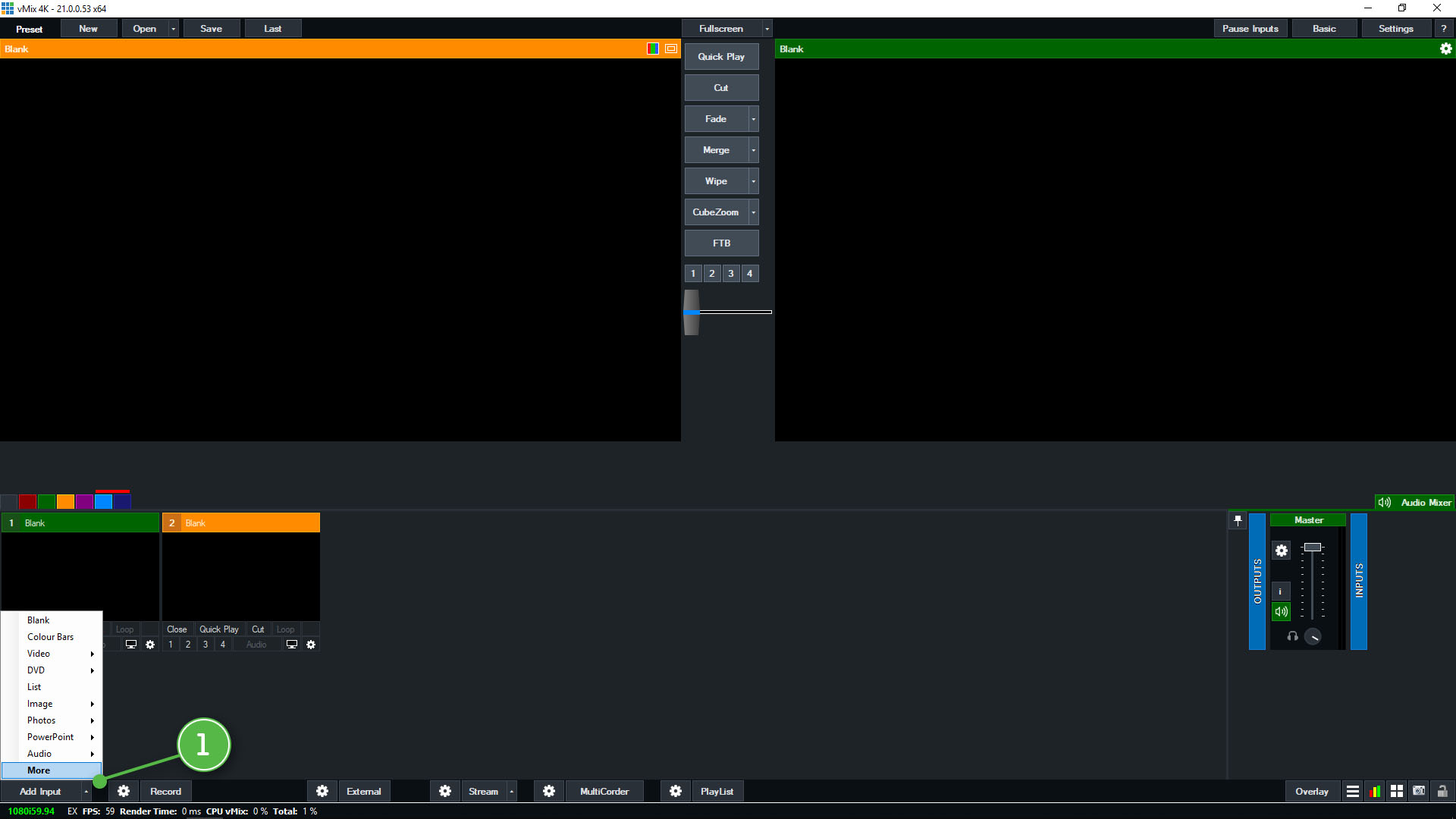
Selecting "Add Input"
2 - Web Browser
Select the "Web Browser" option in the side panel.
3 - Paste URL
Paste your Singular Output URL into the designated field.
4 - Set Resolution
Manually set your Width and Height or it will take your vMix Output default resolution.
5 - Finish Modification
Click "OK" when you finish your modification.
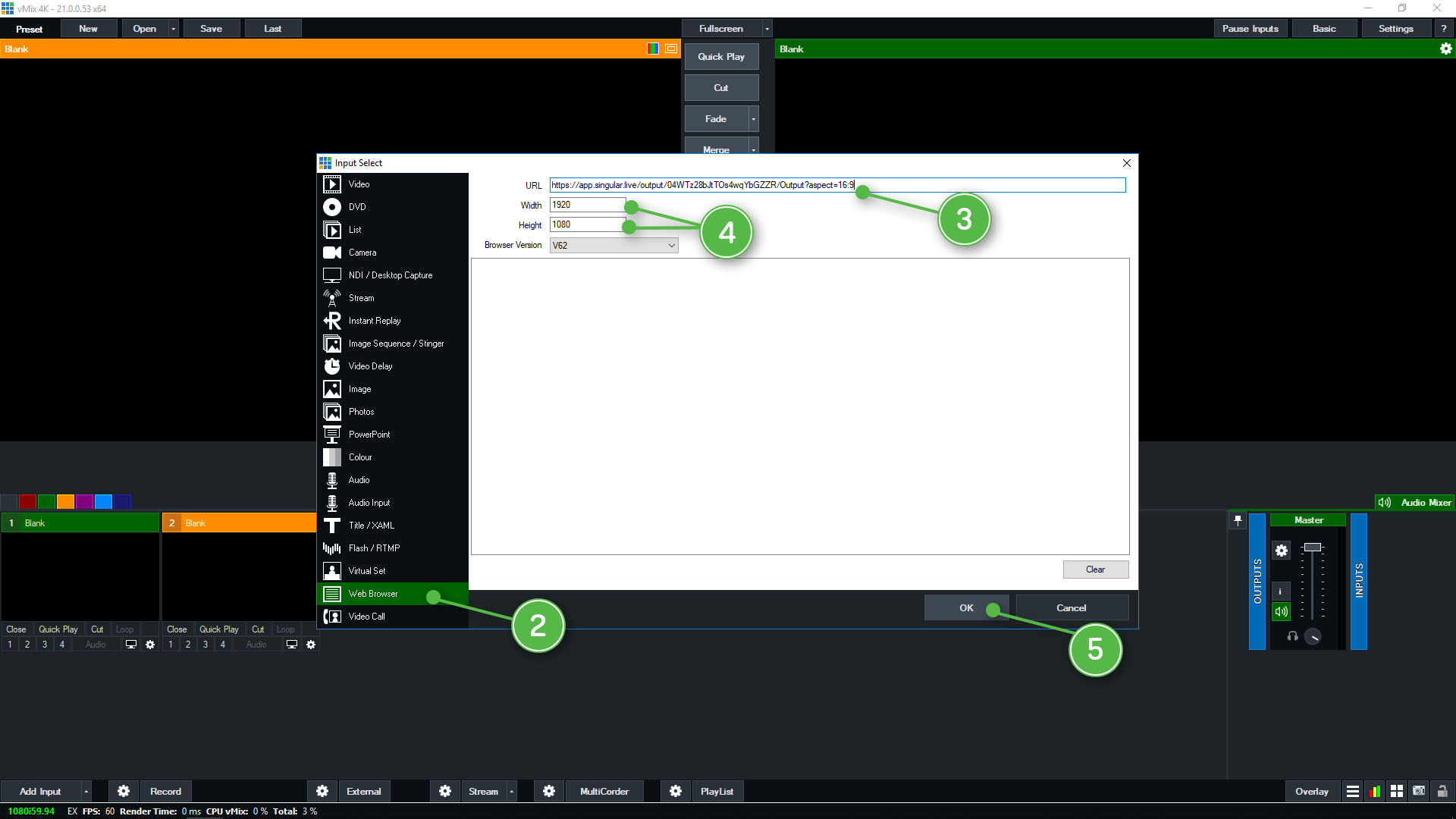
Finishing modification settings
Note
Make sure that your Singular overlay source is layered over your video source.

Comments
1 comment